
How to Search Cases by Name
Search by name through Indiana MyCase, which opens non-confidential Odyssey case information to the public. A last name is the required starting point. Add a first name and middle name to cut the list down. Pairing a birth date with a last name narrows a person search further. Public results never display that date, though. Organizations go in their own business-name field, not the person fields.
- Open MyCase and choose the Name tab.
- Enter the last name first, then add the first or middle name when known.
- Select Pulaski County in the court dropdown.
- Choose Criminal & Citation, Civil, Family, Probate, Appellate, or Commercial only when the category is known.
- Set All, Open, or Closed status and add a file-date range if it will reduce false matches.
- Open a likely result and compare its court, filing date, case type, parties, and event history.
| Field | Use | Format or limit |
|---|---|---|
| Last, First, Middle | Person lookup | Last name anchors the search |
| Birth Date | Narrows a person | mm/dd/yyyy; last name required |
| Business name | Organization lookup | Separate from person fields |
| Court | Local limit | Select Pulaski County |
| File Date | Limits filing period | From and To dates |
Pulaski Name Search Controls
The official MyCase search tips explain the controls. Trailing wildcards, sounds-like matching, court filters, and date controls are all covered there. Sounds-like helps with alternate spellings. The catch is that it can also flood you with matches on a common name. So start exact, then loosen one control at a time.
The help page itself grounds this search syntax in the official tool. Attorneys have their own tab. Type the attorney's last name. Or skip the name entirely and use the bar number alone. That bar-number field takes up to 20 characters. It should never be combined with the attorney-name fields.
How to Search by Case Number
A case number is usually the cleanest route into a docket. It pins down one court and one filing sequence. Indiana uses a uniform format statewide: a five-character court identifier, then a year-and-month block, a two-letter case-type code, and a sequence number. Pulaski Circuit Court issues numbers in the form 66C01-YYMM-TY-######. Pulaski Superior Court uses 66D01-YYMM-TY-######.
The Case Number field in MyCase accepts up to 30 characters. The official tips say a search may drop hyphens and leading zeros. A wildcard works only at the end. The Case tab also takes a Citation Number or a Cross Reference. Each is capped at 30 characters. Only one of those three identifiers can be used per search.
Read the prefix before you open any documents. It tells you whether the matter sits in Circuit or Superior. A party name alone cannot safely establish that.
Pulaski Court Codes in Odyssey
The Indiana Odyssey court list records Pulaski's March 16, 2020 go-live along with its court identifiers. It also preserves a historical clue worth knowing: 66E01 belonged to the abolished Pulaski County Court. Older records can carry that prefix even though the court no longer appears in the live dropdown.
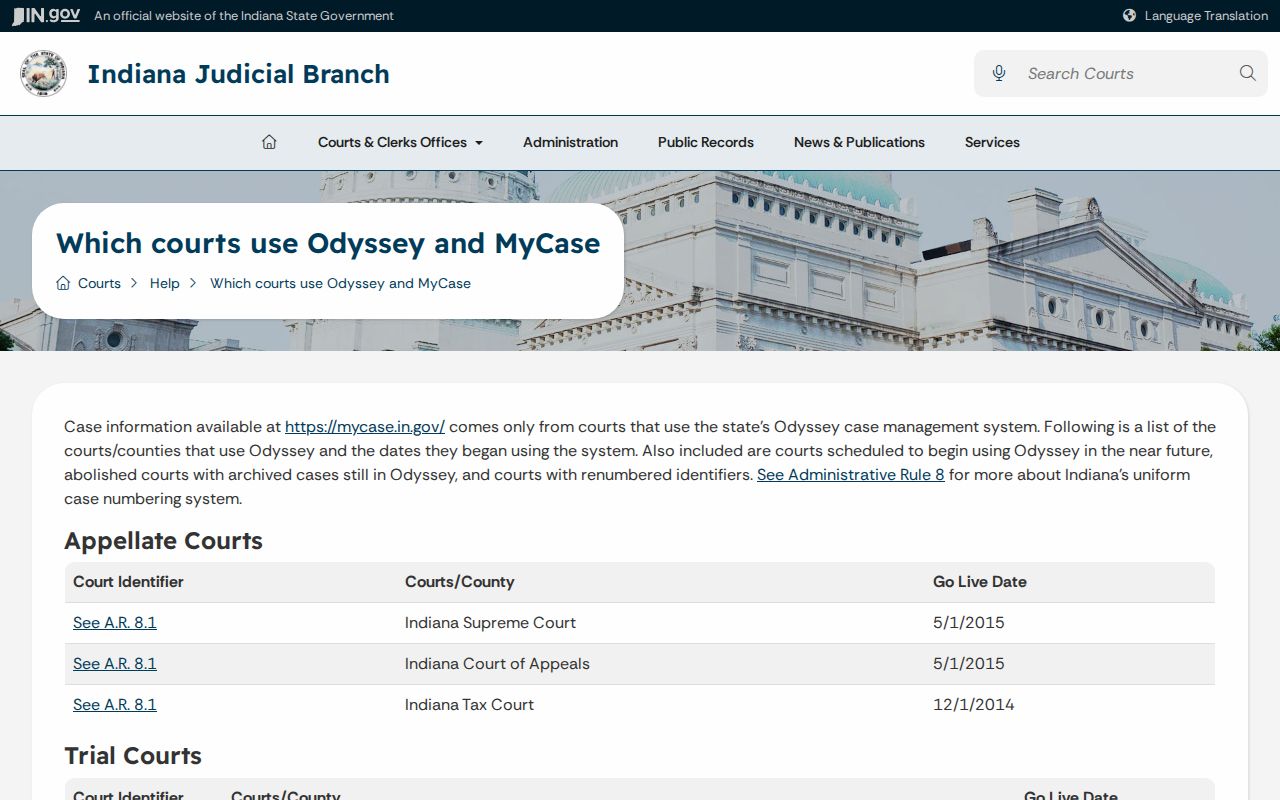
The live dropdown lists Pulaski County as a single entry. There are no separate Winamac, Francesville, Medaryville, or Monterey courts. Search the county's court data rather than inventing a town docket. One caution on old files: a converted event can mark migration from a prior system. It is not a new filing.
What a Case Search Shows
A MyCase result is a public case summary, not the official court record. Read each part in context. A visible case can still hold confidential parties, missing documents, delayed financial data, or an event that needs confirmation from the court itself.
| Header | Case number, court, filing date, type, status, and public judge information. |
|---|---|
| Parties | Public person or organization labels and attorneys, subject to limits and redaction. |
| CCS | The Chronological Case Summary, a dated register of filings, notices, hearings, and orders. |
| Settings | Date, time, place, and event type when published; confirm the newest entry. |
| Disposition | The judgment, dismissal, conviction, acquittal, transfer, or other closing event shown. |
| Documents | Selected public orders and filings; availability varies by case type. |
For current balances and certified copies, rely on the Pulaski County Clerk, never on a browser printout.
Narrow Pulaski Search Results
MyCase caps any result set at 1,000. A big common-name query can come back incomplete. Narrow it down. Add Pulaski County, a first name, a case category, a status, or a file-date range. Never treat the first matching name as proof of identity. Compare the court, case type, filing date, and public party role instead.
If a known case is missing: Check spelling, remove an overly tight filter, try the case or citation number, and consider whether the record type is excluded from public online access.
Repeated rapid or automated requests can trigger a captcha. If that happens, stop and slow down. Use a normal browser, narrow the query, or call the Clerk. The captcha is an anti-data-mining control, not evidence that the record is sealed.
County vs Statewide Case Search
Pulaski County runs no separate public case database of its own. MyCase serves as the statewide public layer, while the Pulaski County Clerk keeps the official Circuit and Superior files. Each channel answers a different question.
| Channel | Best use | Limit |
|---|---|---|
| Indiana MyCase | Free public metadata, CCS events, settings, and selected documents | Not complete or certified |
| Clerk phone, email, fax, or mail | Routing, older records, copy requests, and current balances | Published turnaround is not stated |
| Clerk counter | Official file inspection and certified copies | Copy and certification fees may apply |
| Party access | Extra access for a legally entitled party using an access code | Not general public access |
The Clerk sits in Room 018, 112 East Main Street, Winamac, and answers 574-946-3313. Published hours run 8:00 a.m. to 4:00 p.m. Eastern, Monday through Friday. Confirm the mailing address before you send anything. The state directory lists a different street number.
Pulaski MyCase Access Limits
The official MyCase help page spells out the practical limits: public access differs from party and attorney access, converted records may lack older documents, financial data can lag, and the court's record controls apply.
MyCase is separate from Indiana e-filing, too. Attorneys file through certified providers, while the public reads eligible Odyssey information through MyCase. When a document is absent online, check the case-type access matrix first. Then ask the Clerk. Ask whether the filing is public in person, not digitized, excluded, or sealed.
Restricted Cases and Access Rules
Sealed records and material made confidential by statute or rule never surface through ordinary public access. Mental-health records face strong limits. So do many juvenile matters, adoption material, protected family information, treatment records, and personal identifiers. Protection-order cases do not appear in MyCase at all. Indiana sends those searches to its protection-order system or the responsible court. Expungement access varies as well. A granted expungement may vanish from the docket, while pending or denied matters get different treatment. A blank result proves nothing. It does not establish that no case exists.
- Ask the Clerk whether the record is excluded, sealed, old, or merely unavailable online.
- Use party access only when legally entitled and issued an access code.
- Use attorney access only with proper court credentials.
- Follow Indiana Access to Court Records Rule 9 for a verified extraordinary-access petition when applicable.
Never bypass a seal, an access rule, or a captcha; the court alone decides who may reach protected records.
Pulaski Search Fallback Chain
A Pulaski County case lookup that comes up empty is often just a bad query. Check the spelling. Strip away extra filters. Businesses may hide under the organization field, and a case or citation number beats a name search every time. Also confirm the court identifier, because older 66E01 files may sit in the archive while live Pulaski cases carry 66C01 or 66D01.
When the case shows but a document will not open, the access matrix usually explains it. Some filings are public only at the counter. Others were never digitized, came over from an older system, or are simply blocked from remote view. The Clerk can sort it out at 574-946-3313, by email at clerksoffice@pulaskicounty.in.gov, at the counter, or through confirmed mail or fax details. Have the court, cause number, document type, and date range ready.
Need something official? Request a Clerk copy. MyCase viewing is free, yet Pulaski's copy-fee ordinance sets a $1 rate per legal or letter court-record page, and certification may add a charge, so ask for a current total. A MyCase screen helps with research. It still cannot replace a Clerk-authenticated record.